

Missed the SNAP 2026 Deadline? You Have Until 30 November to Apply
26th Nov 2026 | 5 min
Content
Introduction
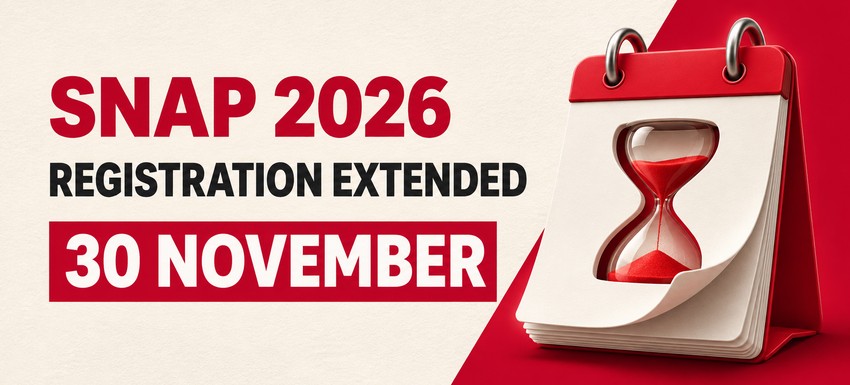
SNAP 2026 registration has been extended from 25 November to 30 November 2026. The revised deadline also applies to MBA applications across participating Symbiosis institutes. If you missed the original cutoff, register for SNAP, select your preferred MBA programmes and complete the test and programme fee payments by 30 November.
What Are the Key Takeaways for Applicants?
- The SNAP 2026 registration extension moves the test application deadline from 25 November to 30 November 2026.
- Check your test payment and each MBA programme payment separately. A SNAP ID does not confirm either payment.
- The 30 November cutoff also applies to MBA programme applications across participating Symbiosis institutes.
Has the SNAP 2026 Registration Deadline Been Extended?

The original registration deadline was 25 November 2026. You now have until Monday, 30 November 2026, to apply for SNAP. Use the extra days to complete the form and check that your test payment has gone through. Do not leave the payment until the last day, especially if you still need to verify your account or choose a test city.
What you do next depends on your application status. If you have not started, create your SNAP account and complete the test registration. If you already have a SNAP ID, sign in to that account and finish the pending steps. If you have already paid the test fee, move on to the programme application rather than registering for the test again.
Apply by 30 November 2026
Start your SNAP application or sign in to finish it. Visit the SNAP website
What Should You Do If Your SNAP Application Is Incomplete?
Have You Not Created a SNAP Account Yet?
Open the official SNAP website and select Register Now. Keep a mobile number and email address you use regularly. Have a recent colour passport-size photo and your personal and academic details ready. Review the form before submitting it and follow the registration instructions to verify your details and receive your SNAP ID.
Choose your test date or dates and review the city options shown in the portal. Complete the test payment and save the confirmation. A saved form or a login credential is not proof of successful payment. The portal is the place to check whether you have finished the required steps.
Do You Already Have a SNAP ID?
Use the Existing User link on the SNAP homepage and open your application. Check each selected test and its payment status. If money was debited but the status still shows pending, keep the transaction reference and contact SNAP support before paying again. Have your SNAP ID and the payment details ready when you raise the query.
Review the programme selections separately. If you paid for the test and for one programme, a second programme still needs its own registration and payment. Check the exact programme name as well as the institute. Two institutes may offer an MBA in the same subject, but they are separate applications.
| Your application status | Next step |
|---|---|
| No SNAP ID | Start through Register Now and complete test registration by 30 November. |
| SNAP ID but test fee pending | Log in to your existing account and finish the pending test payment by 30 November. |
| Test fee paid but programme fee pending | Select your preferred MBA programmes and complete the payment for each by 30 November. |
| Test and programme fees paid | Save confirmations and check the admit card date for each selected test. |
Finish your SNAP test payment
Sign in to check your test selection and payment status. Go to the SNAP website
How Do You Apply to Symbiosis MBA Programmes by 30 November?

SNAP is the entrance test for participating Symbiosis MBA programmes for the 2027–28 academic year. The extended deadline gives you until 30 November to finish your SNAP test registration and apply to your preferred MBA programmes. Use the SNAP registration guide for the application steps. Paying for a test attempt does not automatically register you for any programme.
The test fee is ₹2,550 per attempt. The registration fee for each selected MBA programme is ₹1,000. Applicable government taxes are additional for both, and both fees are non-refundable and non-transferable. One test and two programme applications add up to ₹4,550 before taxes. Check the portal before making a payment, especially if you already paid for one of the items.
Start with a shortlist before opening the payment page. If you want to apply to a general MBA and a specialised MBA at the same institute, select both programmes. If you want to apply to the same type of MBA at two different institutes, check that both institute and programme names appear in your application before paying.
After paying, return to your application dashboard. Match the payment confirmations against your selected test attempts and MBA programmes. Save the test payment receipt and a separate receipt for every programme you select. This gives you a record of what you submitted and helps you spot an incomplete payment before the 30 November cutoff.
Who Is Eligible for a Symbiosis MBA Through SNAP?
Many programmes accept a recognised bachelor’s degree with at least 50% marks or an equivalent grade. The corresponding threshold is 45% for Scheduled Caste and Scheduled Tribe applicants. Check the official programme eligibility page for the exact degree, marks and work-experience requirements. The examples below show why the programme name alone is not enough.
| Applicant or programme | Eligibility check |
|---|---|
| General MBA applicants | Check the recognised degree and marks requirement for the specific institute. |
| Final-year students | Check whether the programme accepts final-year applications and the conditions for submitting qualifying results. |
| SCMHRD MBA in Business Analytics | Check the minimum two years of full-time work experience after graduation, in addition to the academic criteria. |
Use the SNAP programme overview to compare institutes before paying. Start with one programme that fits your interests and check whether another choice has different entry requirements. If your qualifying results are pending, read the conditions for final-year applicants on the relevant programme page rather than assuming they are identical across institutes.
Finalise your MBA shortlist
Review programme eligibility and complete your selected applications by 30 November. Check Symbiosis MBA eligibility
Which SNAP 2026 Attempts and Dates Should You Plan For?

SNAP allows up to three attempts. The highest score is used for the final percentile calculation if you take more than one test. Choose only the dates you are able to attend and check available options in the portal. The schedule below is the published schedule on the SNAP Important Dates page.
| Attempt or milestone | Admit card | Test or result date |
|---|---|---|
| SNAP 01 | 7 December 2026 | 13 December 2026 |
| SNAP 02 | 11 December 2026 | 19 December 2026 |
| SNAP 03 | 18 December 2026 | 26 December 2026 |
| SNAP result | Not applicable | 12 January 2027 |
Your admit card gives the timing for your test. If you choose multiple attempts, check the card for each one rather than assuming the timing or venue will be the same. Save the dates for the tests you selected, then set a reminder to download each card as soon as it is available.
What Is the SNAP 2026 Test Structure and Marking Rule?
The published SNAP 2026 test structure lists a 60-minute computer-based test with 60 questions. Each correct answer earns one mark and each incorrect answer attracts a deduction of 0.25 mark. Use the section split as a quick reference after you finish your application.
| Section | Questions | Maximum marks |
|---|---|---|
| General English | 10 | 10 |
| Analytical and Logical Reasoning | 20 | 20 |
| Quantitative, Data Interpretation and Data Sufficiency | 20 | 20 |
| Ethics, Morality and Values | 10 | 10 |
| Total | 60 | 60 |
If you apply near the deadline, start with one timed practice test. Review questions you answered incorrectly and note where you spent too long. Use that review to decide which section needs attention before your first scheduled attempt.
What Happens After You Complete Both Registration Steps?
SNAP is the test stage. Your chosen institutes handle their own shortlisting and selection after the result. Keep access to the email address and mobile number used for registration, and check the admission updates for each programme. Paying both fees completes the application steps described above, but it does not guarantee a shortlist or admission.
| Admission stage | What to do |
|---|---|
| Registration and payment | Save the SNAP ID and confirmations for the test and each selected programme. |
| Admit card and test | Download the correct admit card and attend your selected test. |
| Result and shortlist | Check the SNAP result and each institute’s separate shortlist notice. |
| Institute selection | Follow the institute’s instructions for the next assessment and admission steps if shortlisted. |
Frequently Asked Questions
Yes. The revised deadline is 30 November 2026 for SNAP test registration and MBA applications across participating Symbiosis institutes.
No. Check the payment status in your account and save the successful transaction confirmation.
Yes. Pay ₹1,000 plus applicable taxes for each MBA programme you select. This fee is separate from your SNAP test payment.
No. One attempt is enough to take SNAP. Additional attempts are optional, and the highest score is considered if you take more than one test.